Master Marathi & English Typing, the Right Way
LiPi teaches the official Remington keyboard layout through a structured, step-by-step Tutor Mode built for students and typing institutes preparing for government exams.
Currently available for Windows · macOS coming soon
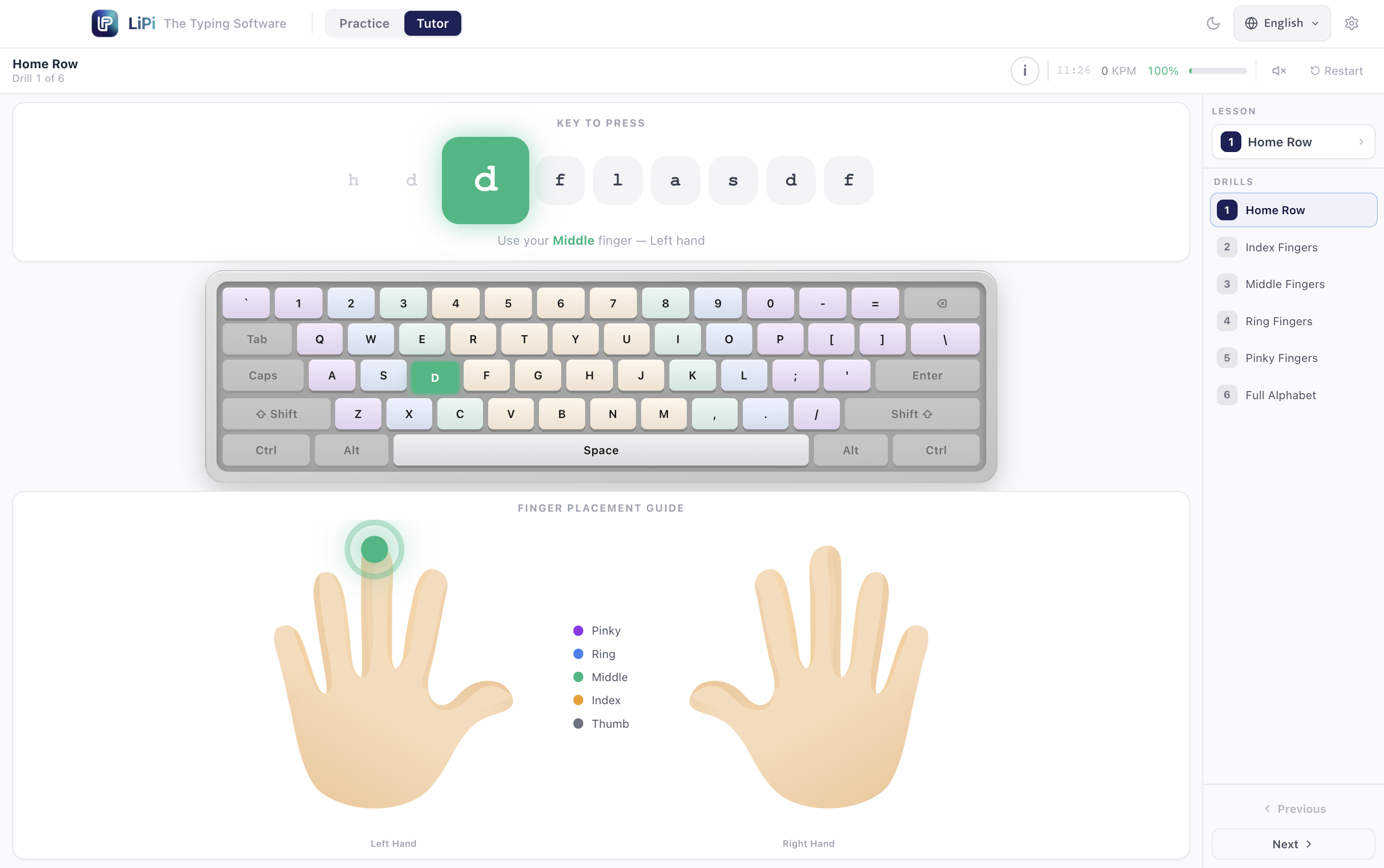
See how a student learns it
Tutor Mode highlights the exact key and the exact finger for every letter — this is the same guide students see inside the app.
Finger Placement Guide
Everything you need to master Marathi & English typing
LiPi pairs the official Remington layout with a structured tutor, so students go from the basics to exam-ready speed without guesswork.
Official Remington Keyboard Layout without ISM
Type Marathi using the same CDAC GIST-verified Remington layout used in government typing exams, no separate Marathi keyboard or ISM needed.
17+ Lesson Guided Tutor Mode
A structured path from vowels and barakhadi to half-letters, conjuncts, rakar, reph, vakar, and exam-level words each lesson with real practice drills.
Real-Time Speed & Accuracy
Live WPM and accuracy tracking on every drill, so students always know exactly where they stand before an exam.
On-Screen Guided Keyboard
A visual keyboard with finger-position colour hints and live Shift-state switching, beginners see exactly which key and which finger to use.
Keypress & Error Sound Feedback
Optional audio cues on every keystroke and on mistakes, reinforcing muscle memory for new typists.
Works Fully Offline
Install once, activate with a license key, and practice without needing an internet connection.
Built for Typing Institutes
One license per machine, simple activation, and content designed around real exam syllabi ideal for institutes running batches of students.
English + Marathi, One App
Practice both English and Marathi typing in the same software, switching languages without losing your progress.
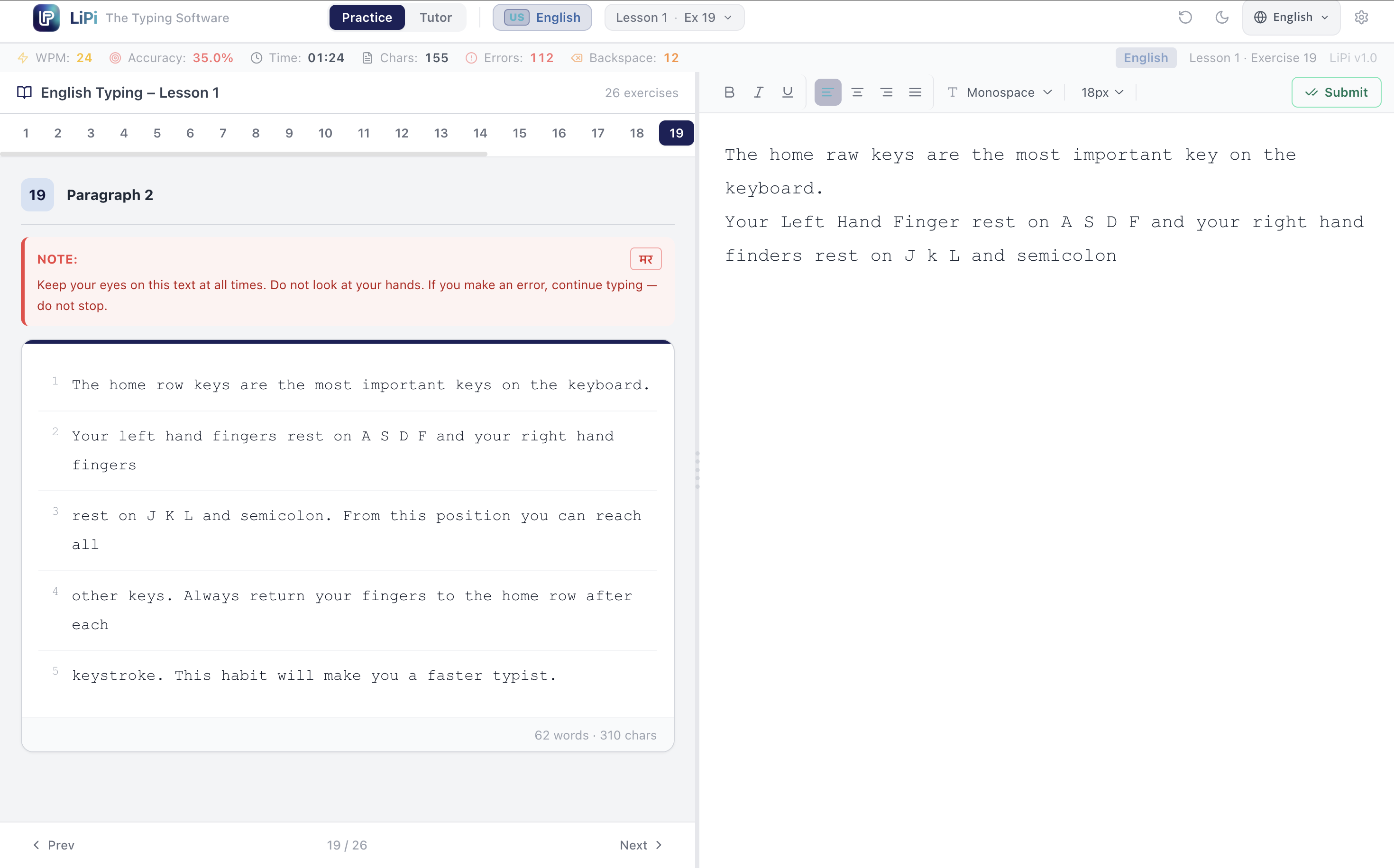
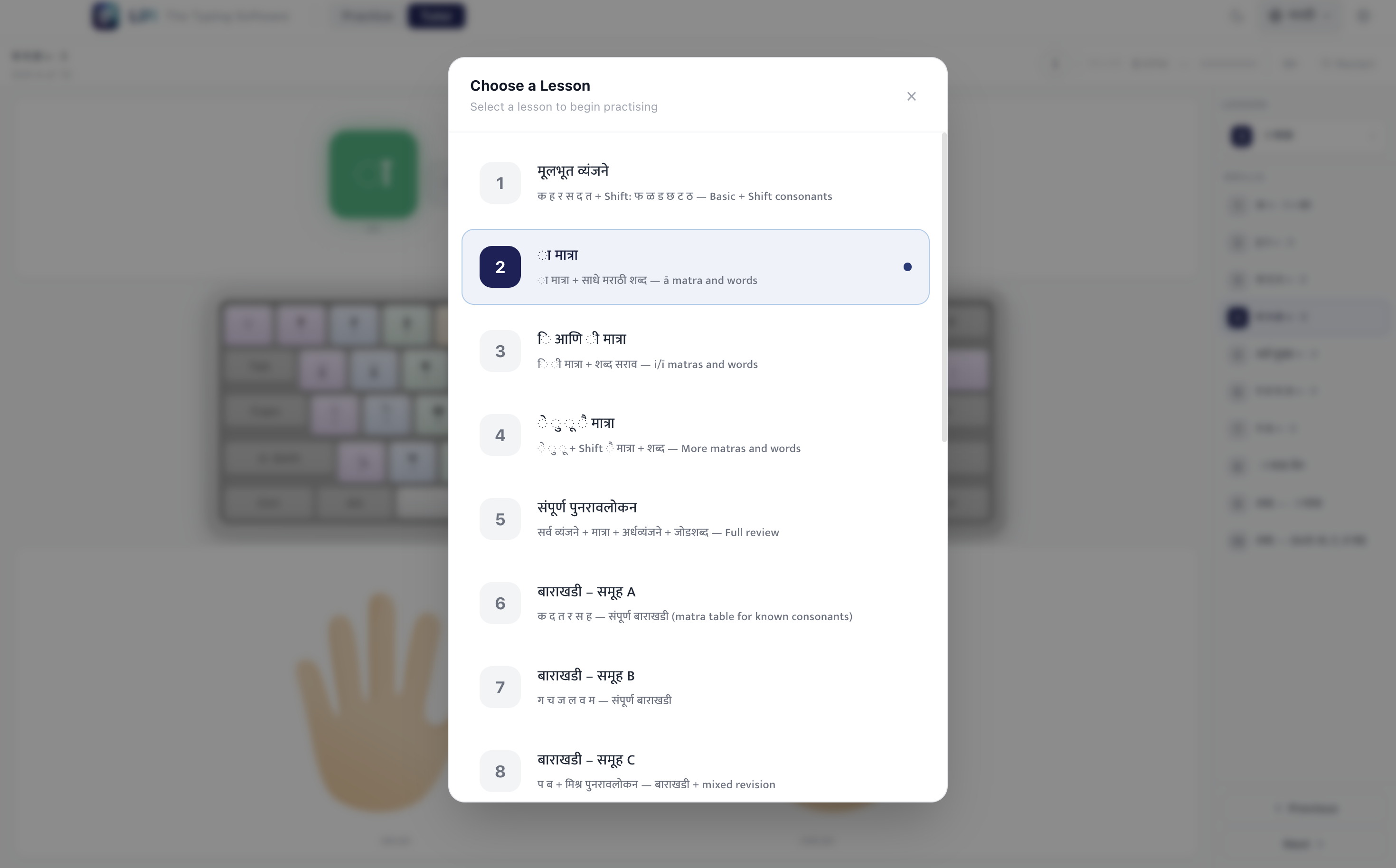
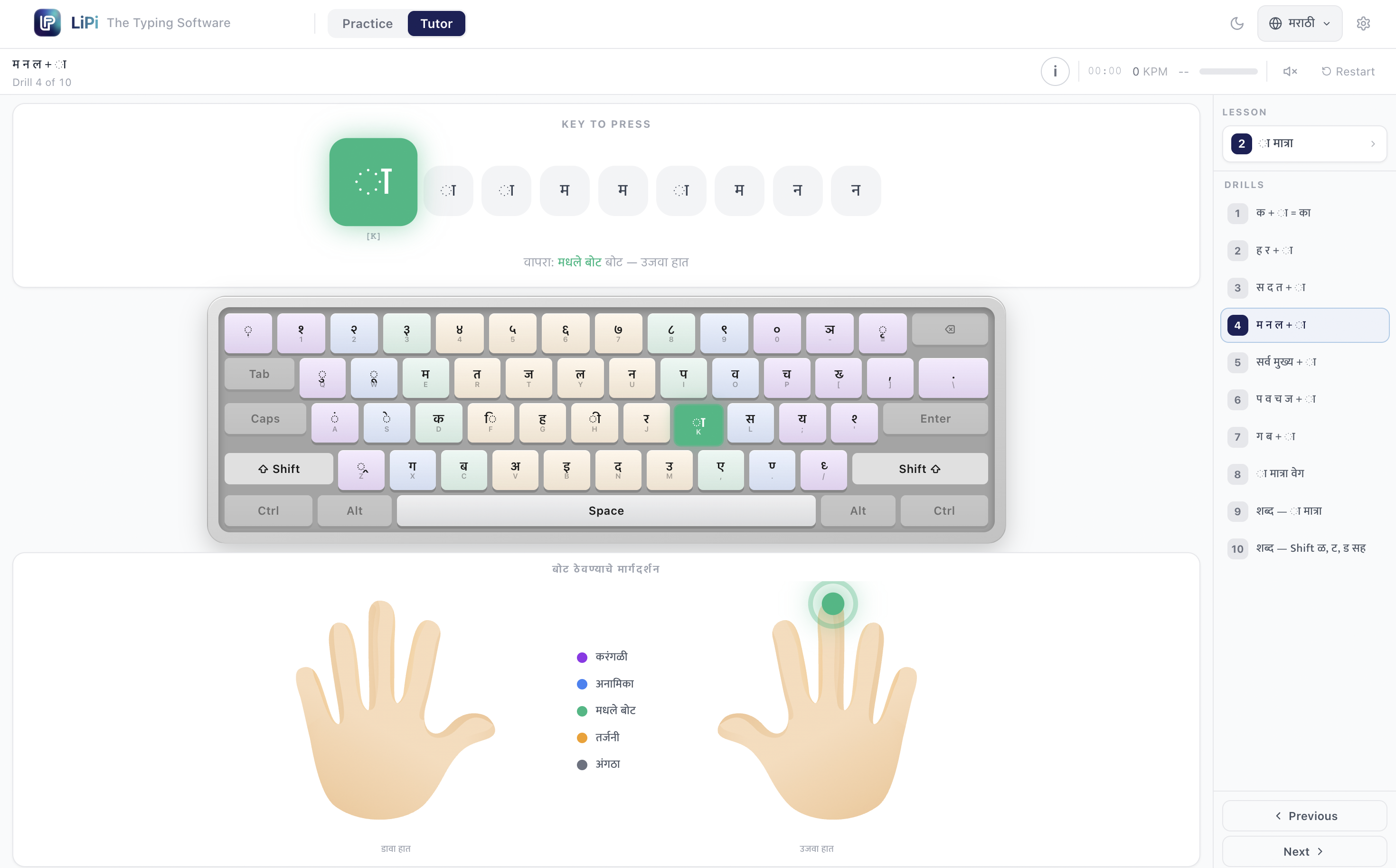
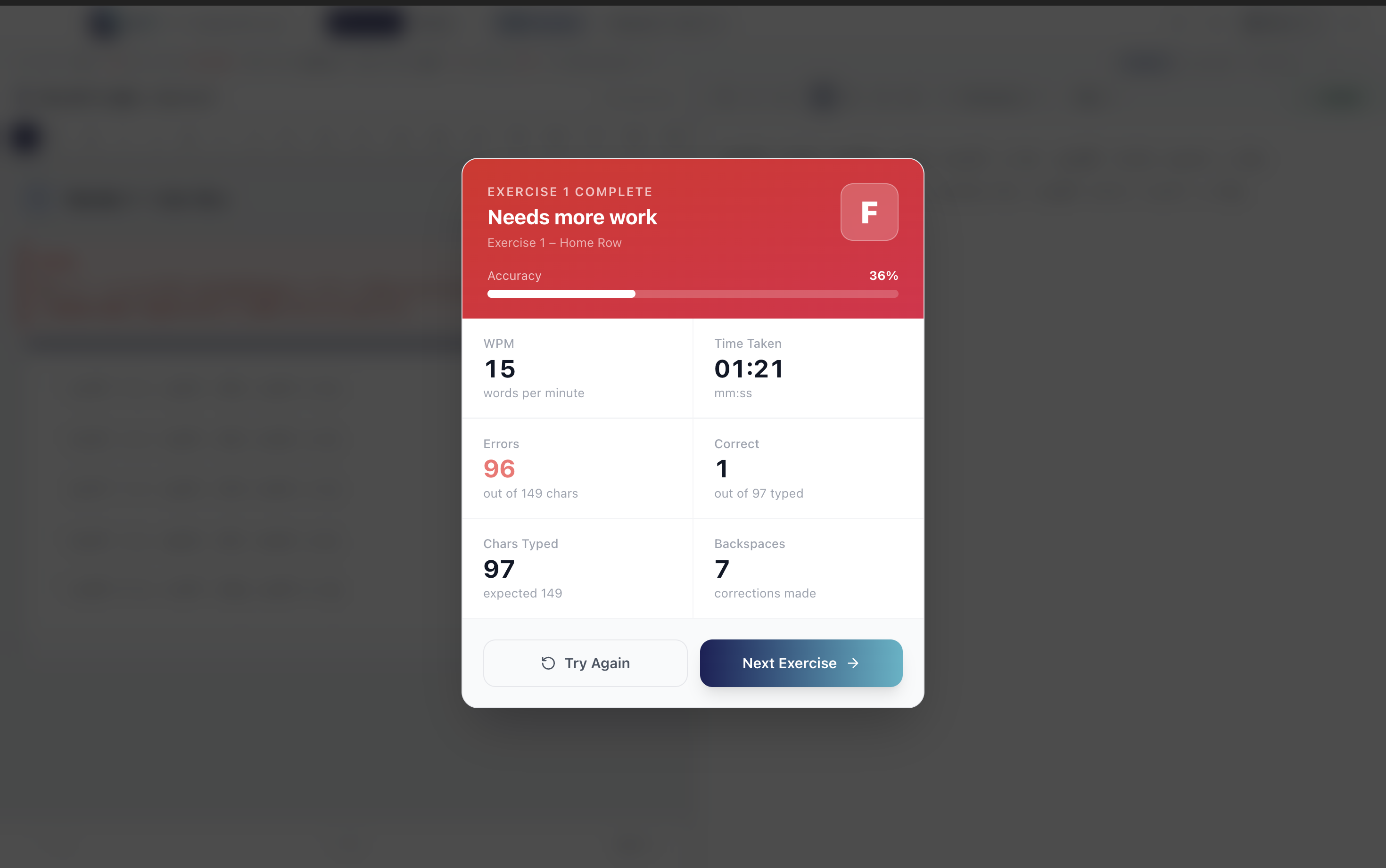
See LiPi in action
some screenshots added for more context.
Download LiPi
One installer, works fully offline once installed. Activate with a license key from the Pricing section below.
Download for Windows — v1.0.0Currently available for Windows. A macOS version is planned and will ship here once ready.
Simple, one-time pricing
Pay once via UPI, send us your payment screenshot on WhatsApp, and we'll send your license key back the same way.
Student Plan
For individual students preparing for typing exams at home.
- Full English + Marathi access
- Practice Mode + 17-lesson Tutor Mode
- Works fully offline
- Single PC activation
Scan to Pay ₹105

Scan with GPay, PhonePe, Paytm or any UPI app
On some phones this opens your UPI app automatically. If it shows a security warning instead, please use the QR code above — that's a safety check some UPI apps apply to payment links opened from a website.
Send Payment Screenshot on WhatsAppInstitute Plan
For typing institutes running batches of students on shared PCs.
- Everything in Student Plan
- 12-month validity
- Built for multi-student shared-PC use
- Priority WhatsApp support
Scan to Pay ₹155

Scan with GPay, PhonePe, Paytm or any UPI app
On some phones this opens your UPI app automatically. If it shows a security warning instead, please use the QR code above — that's a safety check some UPI apps apply to payment links opened from a website.
Send Payment Screenshot on WhatsAppAfter payment, send your payment screenshot on WhatsApp to +91 94222 14653 and we'll send your license key the same way — usually within a few hours.